Beauty Start USA · licences for beauty professionals in the US · 2024–2026
I replaced Tilda and Thinkific with custom code, saving about $150 a month
Beauty Start USA helps beauty professionals who have moved to the US get a state licence. We’ve worked together since 2024: first I built the site and quizzes on Tilda, then in 2026 moved them onto custom code and cancelled the subscriptions.
≈ $150
a month: the Tilda and Thinkific subscriptions that custom code replaced
4,479
questions from five courses in a custom trainer, with a timed exam and spaced repetition
3 languages
for every client-facing page: Russian, English, Spanish
4
quizzes on a custom engine, each in three languages
The saving is based on the cost of the Tilda and Thinkific subscriptions, which are now cancelled. The new site is live on beautystartusa.com and open to search engines. There are no traffic or lead figures yet; I’ll take them once the site has had a month on the domain. Page and question counts are from the 27 October 2026 build.
ClientBeauty Start USA: state licences for beauty professionals and salons, exam prep
AudienceProfessionals who trained or worked before moving to the US, and salon owners
How it’s builtCustom code, no site builder: a Python build, Netlify Functions and Edge Functions
My roleProduct, decisions and sign-off are mine; the code is written with Claude Code to my briefs
My part
Tilda
From 2024, the site and quizzes on Tilda, then the home page mock-up for conversion and the promise check.
Site and identity
A three-language structure, the quizzes and their engine, the application form with encrypted data, leads, analytics, the logo and brand identity, deployment.
The trainer
The Thinkific course export with question counts checked, the trainer with spaced repetition, sign-in by code, server-side progress, the codes page.
The client’s site footer links to kottov.net as “Website development & support”.
I build websites now and then. If you need one like this, email max@kottov.net and I’ll tell you whether I can take it on.
01 · Tilda first
I built the Tilda site in 2024, and in the summer of 2026 a conversion-focused home page mock-up
I started with Tilda: I built the company’s previous site on it and made the quizzes with its own tools, without paying for Marquiz. In the summer of 2026, working from a document of requested changes, I built a conversion-focused mock-up of the whole home page and prepared it for Tilda. Trust mattered more than design: the requested copy promised more than the company could guarantee.
2024The site and quizzes on Tilda, without paying for Marquiz
August 2026A home page mock-up for conversion
SeptemberA landing page for salons and the first trainer
OctoberThe whole site on custom code
Late OctoberThe trainer on the site and a unified brand identity
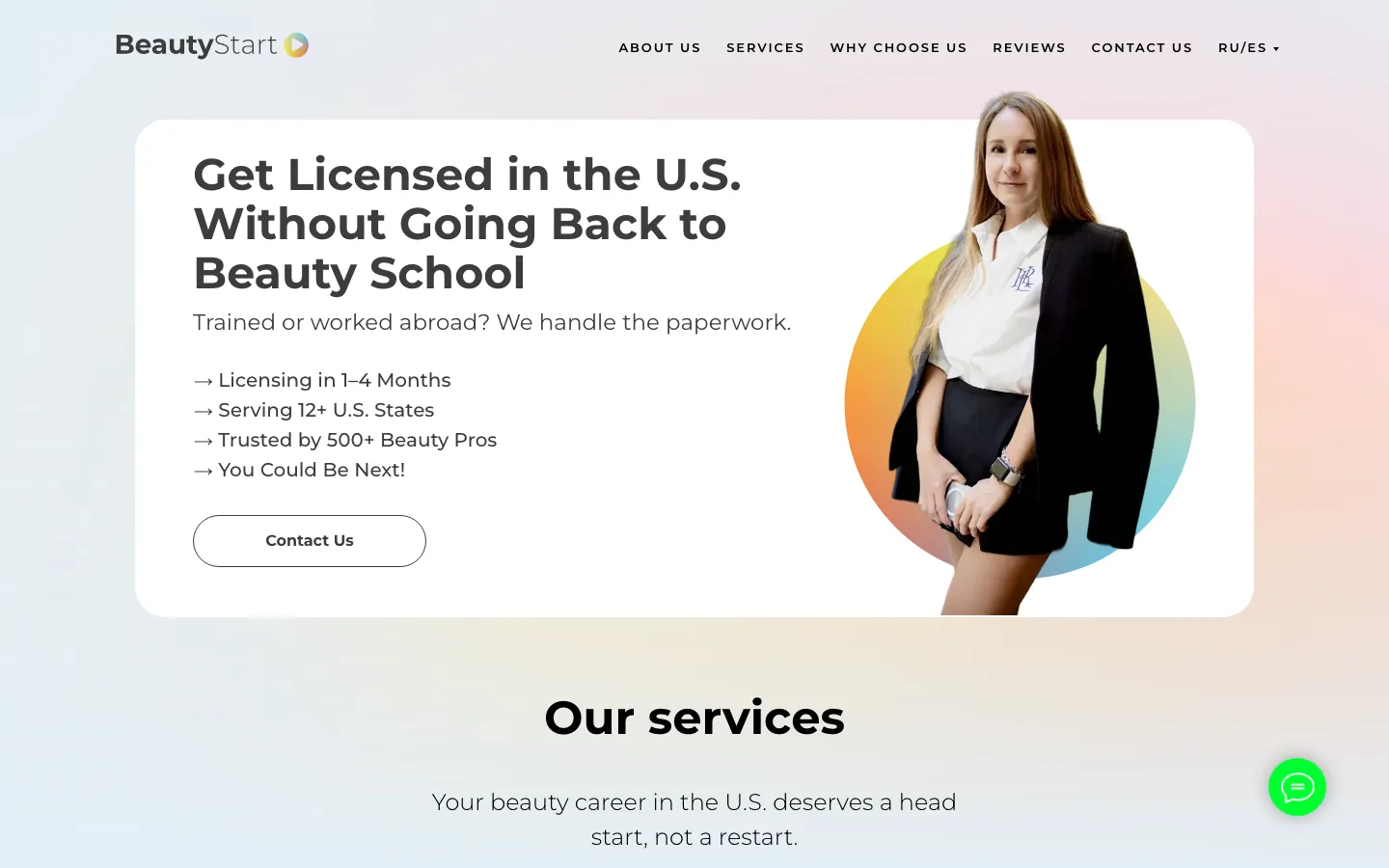
Tilda · before the move
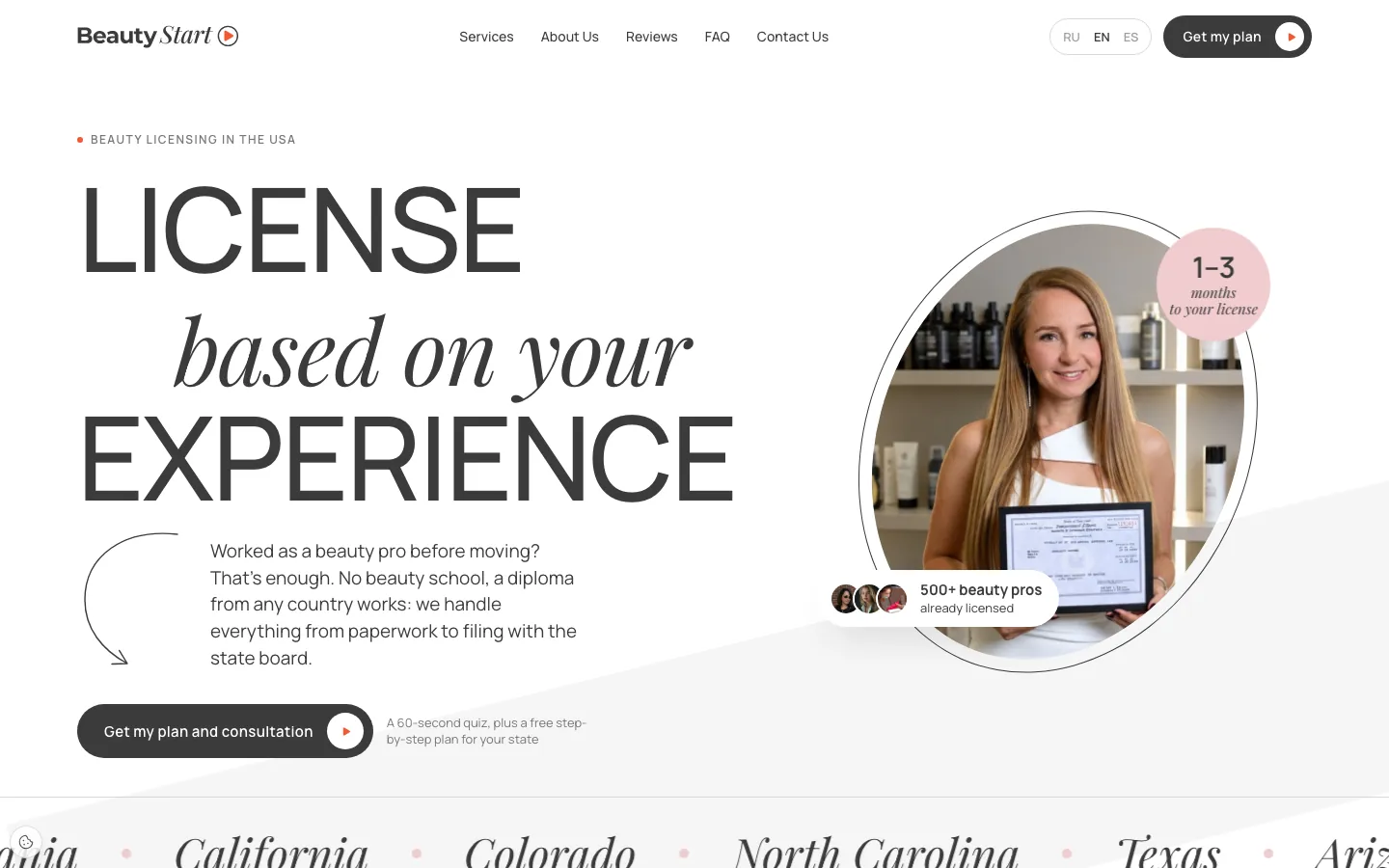
Mock-up for Tilda · August
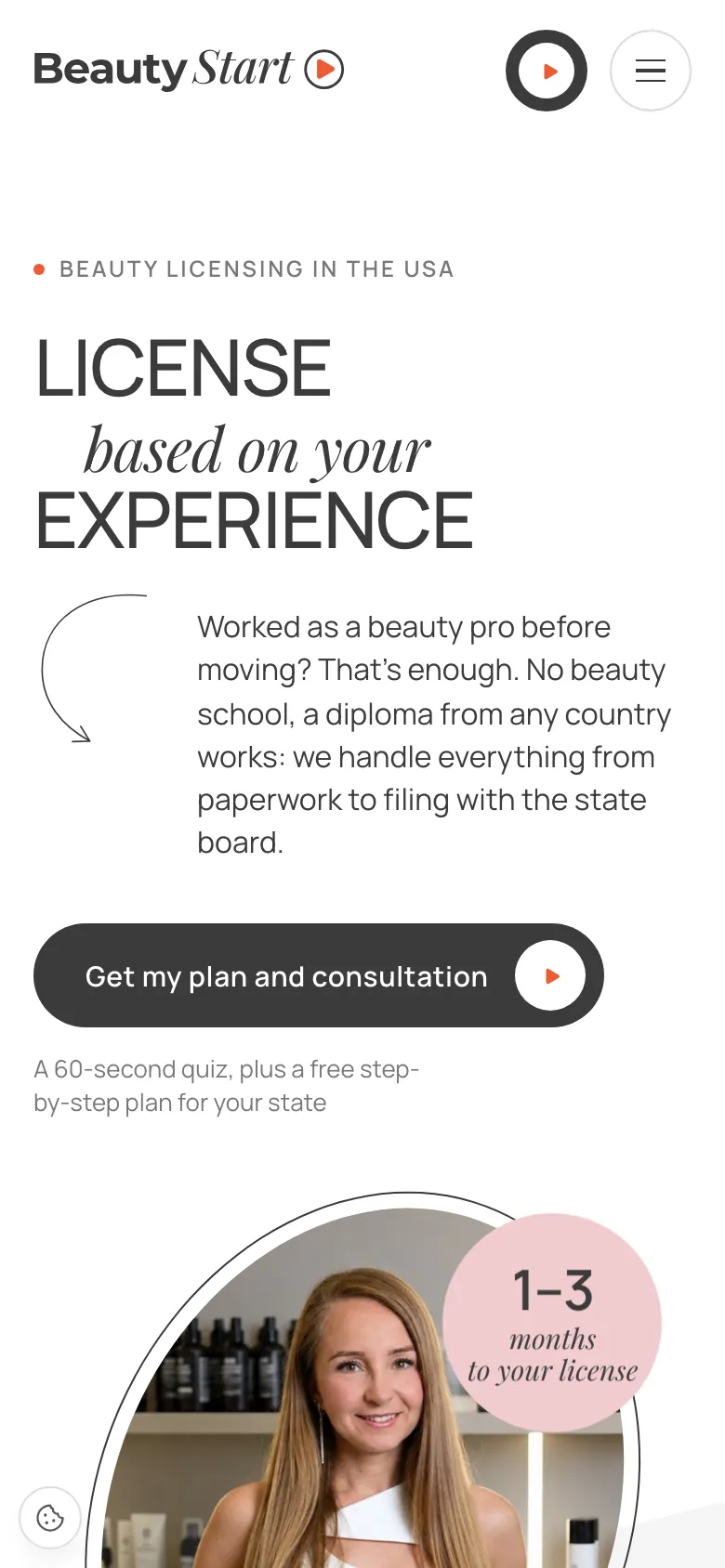
Custom code · October
The first screen three ways. I designed the mock-up to be moved into Tilda; the new site doesn’t use Tilda at all and follows a style the founder chose from a reference. The mock-up exists in Russian only.
I rewrote three promises from the requested changes
RequestedOn the mock-up
“0% risk of rejection”
→
“98% approved, none rejected through any fault of ours”Zero per cent is a promise no one can keep: some rejections depend on the state board. And 98% was already in the figures block, so the site no longer contradicts itself
“A licence without an exam”
→
“In some states, based on experience and documents”The FAQ on the same site says an exam is usually required
“Pays for itself in the first week”
→
“The cost comes back with your first clients as a licensed professional”Promising when the money comes back is a guarantee no one can give
What I removed after checking the copy
“PDF · 12 pages”. Nobody had counted the guide’s pages.
“4 places left”. The number never changed: fake scarcity.
Five stars on reviews. Clients wrote thank-you notes, not ratings.
“We guarantee support… with no risk of fines”. The state board decides, so it became “We support you at every step, from documents to the board’s decision”.
One call to action instead of six
6→1
Six different button labels led to the same form. One remained: “Get the plan and a consultation”. I also added the button after the reviews, where six sections in a row used to run without one.
Tilda had its limits: only its native form collects leads, and the founder can’t edit code blocks herself — only through a developer.
02 · October 2026
The whole site again — in custom code and in three languages
On 16 October everything that had been on Tilda was running on custom code: home pages, quizzes, result pages, the client application form, the blog and the privacy policy. The code was written with Claude Code to my briefs. I kept the old URLs, and pages that moved redirect with a 301, so links from ads and Instagram didn’t break when the domain moved.
15
URLs in the main site’s sitemap, five per language. Application forms, results and the trainer are hidden from search
33
301 redirect rules from old Tilda and subdomain URLs
56
pages checked by a script after the build: links, languages, quizzes
0
errors in that check on the 27 October build
One structure across three languages
For beauty professionals
Home page
Quiz “How to get licensed”
Quiz “Licence check”
Contract application form
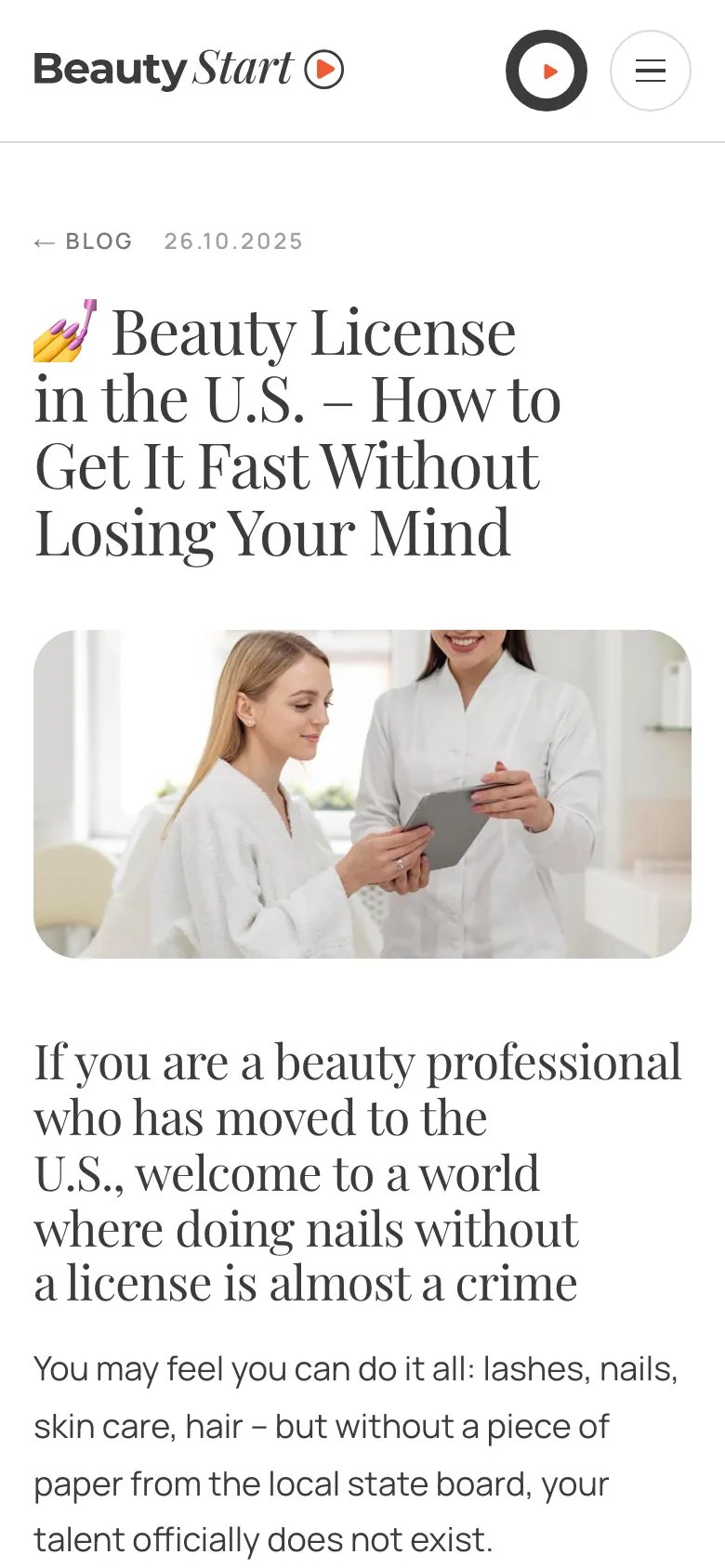
A blog with three articles
For salon owners
Landing page
Quiz “Licences for your team”
Quiz “Open your own salon”
Shared
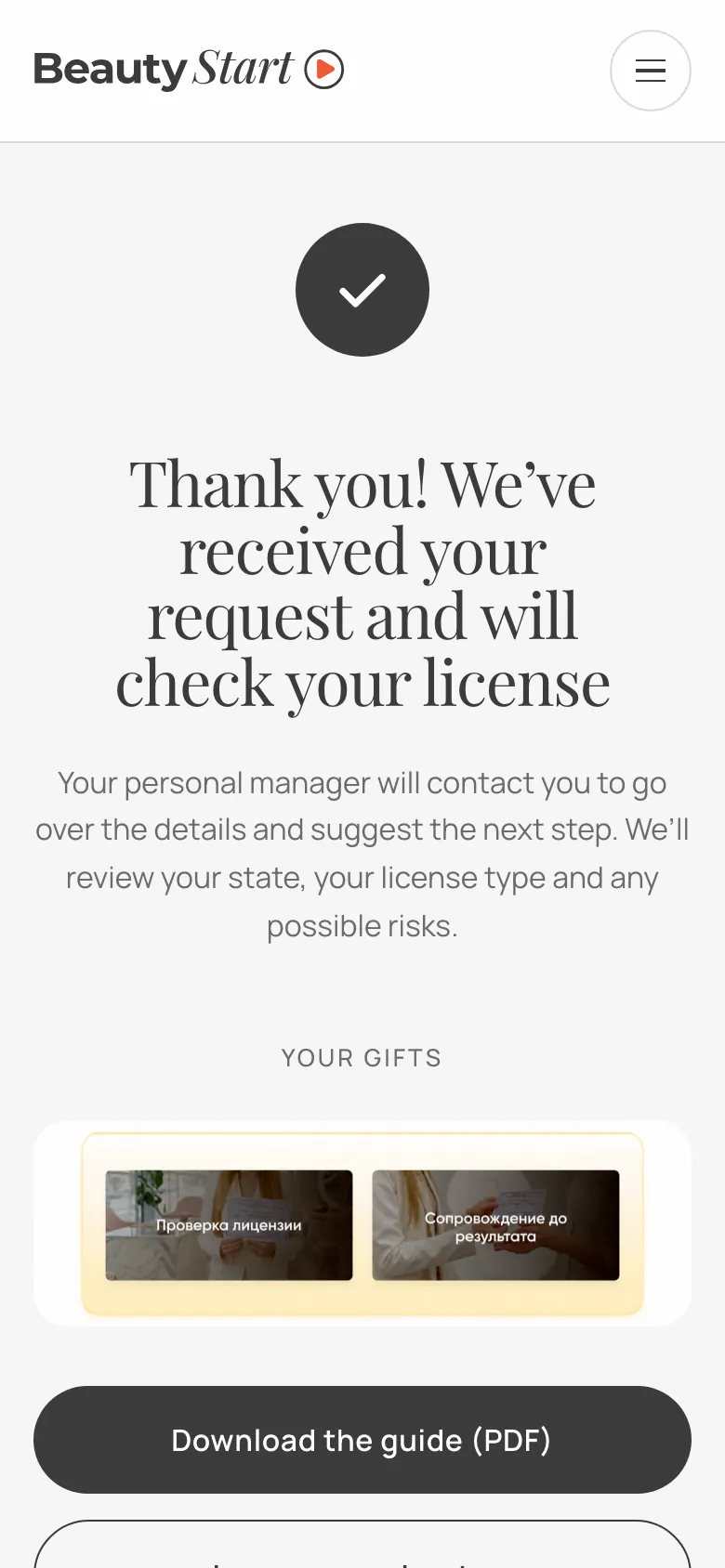
Quiz result pages
Privacy policy
“Not found” page
Exam trainer
The main site is beautystartusa.com: Russian at the root, English and Spanish under /en and /es, with the rest of the URL unchanged. The salon landing page is on the business subdomain, the quiz for beauty professionals on quiz and the trainer on study. The language switcher leads to the same page, not to the home page. A string without a translation breaks the build, so nothing untranslated reaches the site.
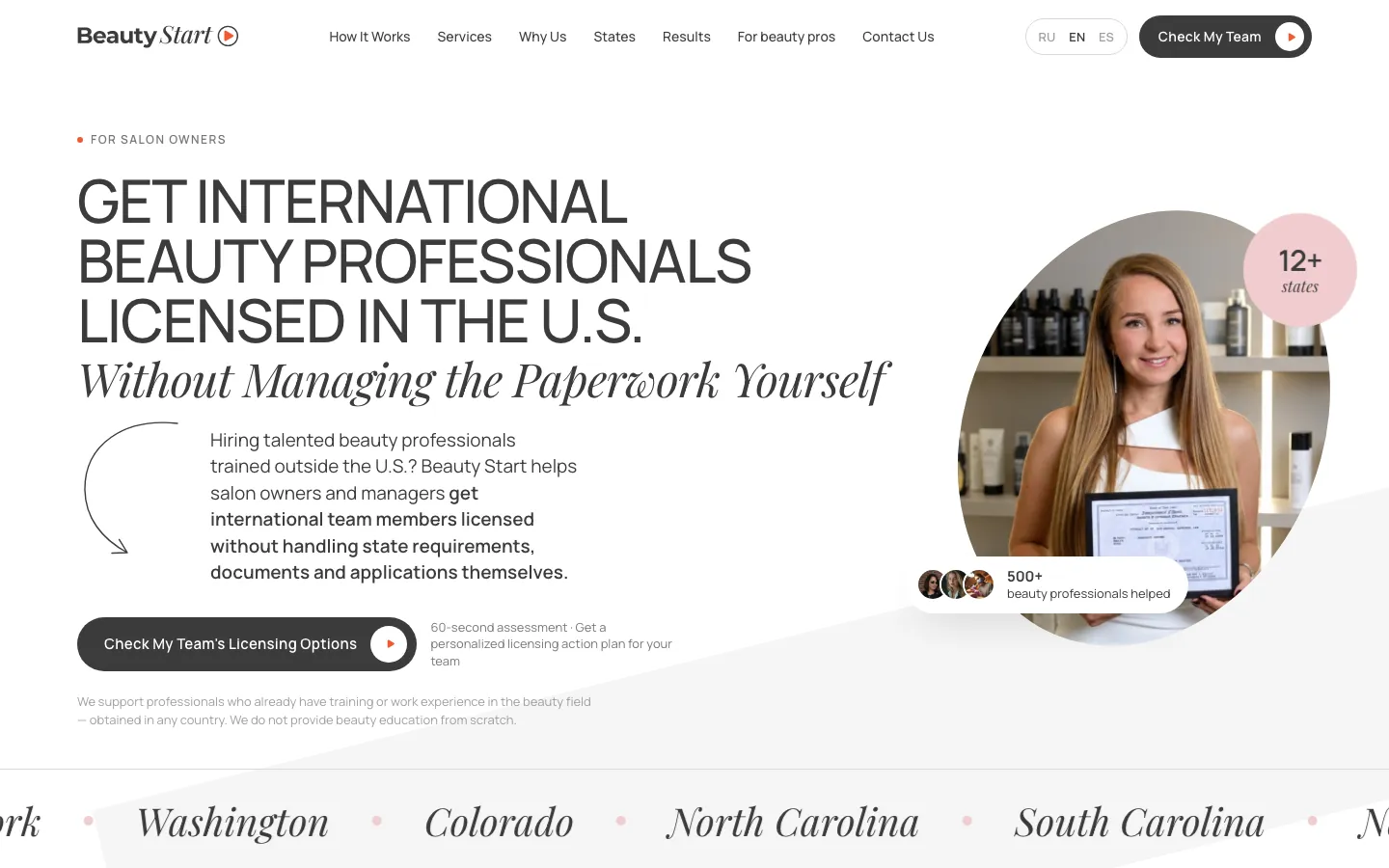
Landing page for salon owners. It used to be a separate English-only site; now it’s in three languages and still lives on the business subdomain.
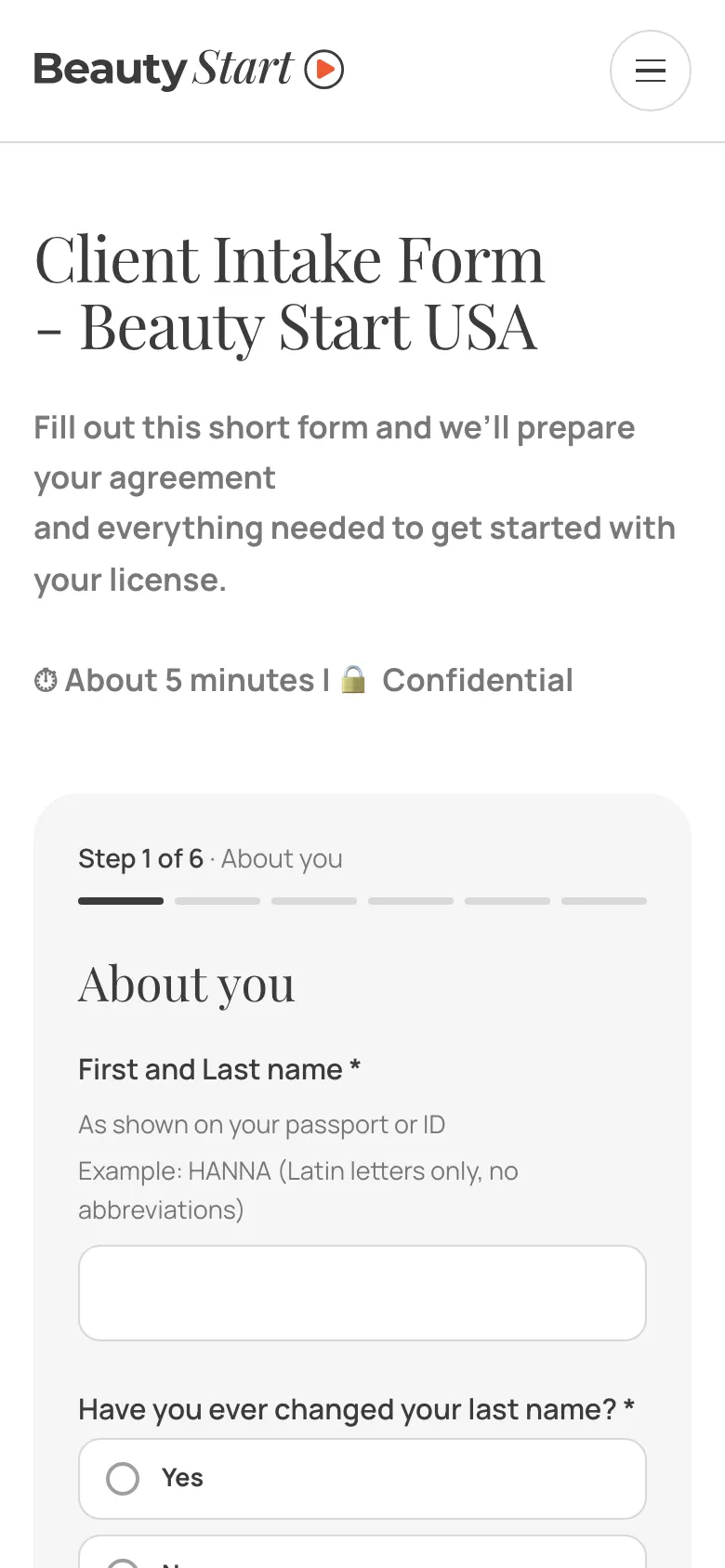
Contract application form
6 steps
Instead of one long form: steps with a progress bar, a check at every step and a summary before sending. Questions appear only when they apply, and the draft stays on the device until it’s sent. The form goes to the founder only.
Home page
Application form
Blog
After the quiz
The whole home page — you can scroll it
03 · Brand identity
From a temporary logo to a unified brand identity
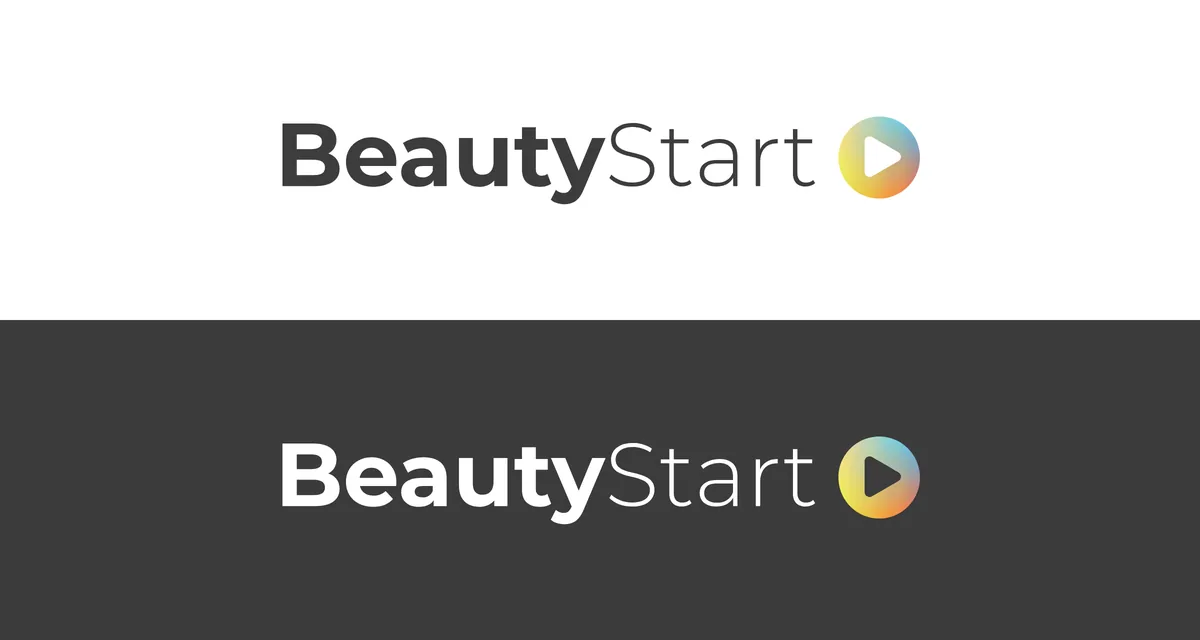
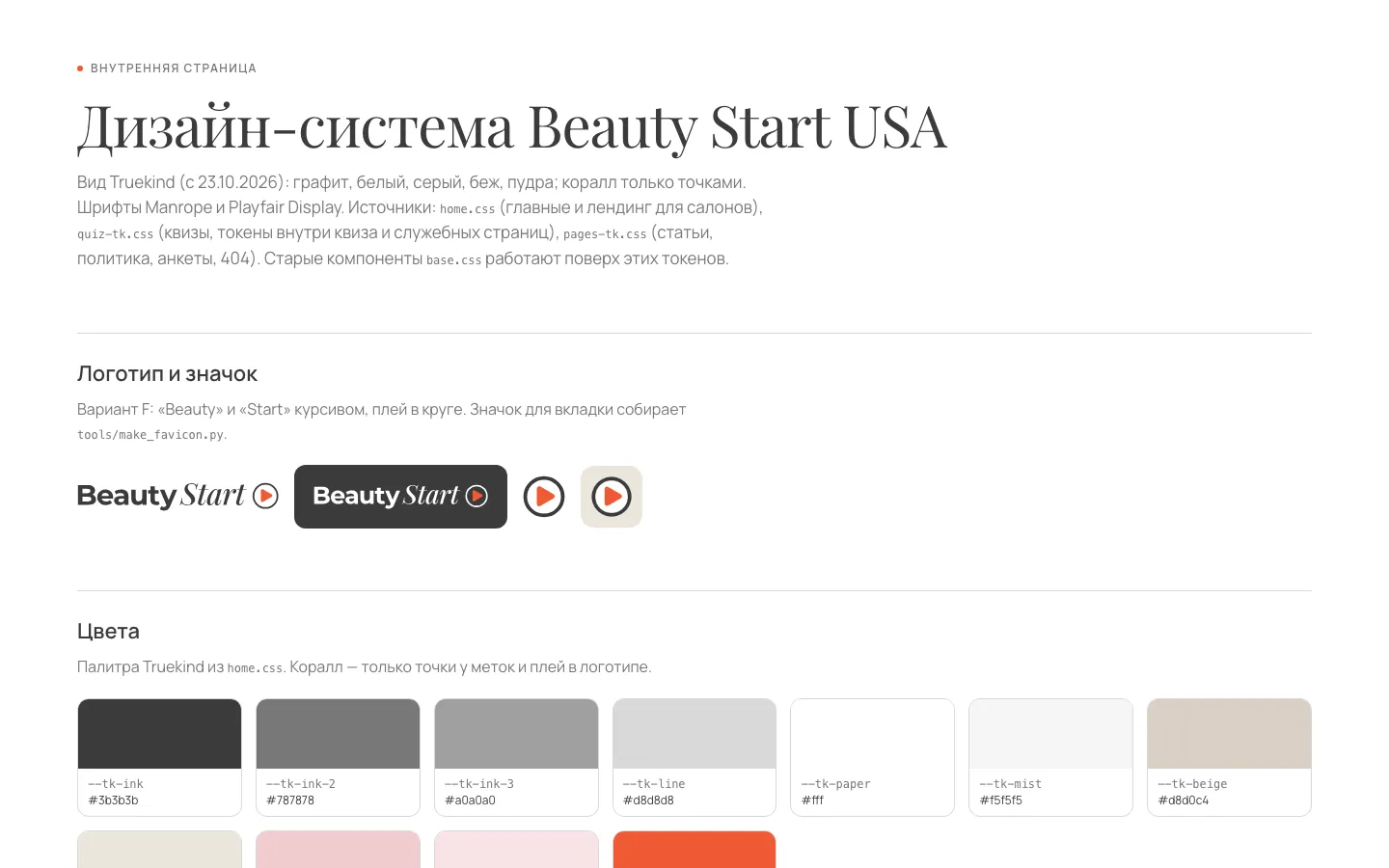
The company had no logo, so I made the first version myself as a stopgap. Now, with Claude Code, I’ve refined it to match the site, animated it and pulled everything into a unified brand identity: the site, the trainer, the browser tab icon, the avatars and the ad templates look like a single whole.
First version · temporary
First version. I made it myself when there was no logo at all: a bitmap wrapped in an SVG, 120 KB.
Now
Now. “Beauty” in upright type, “Start” in italics — the same Manrope and Playfair Display as on the site. The triangle in the circle is always coral. The letters are converted to outlines, and the file is 8 KB.
Animation: the play button launches the wordmark
1 · Button
2 · Press
3 · Wordmark slides out
4 · Logo in place
The full sequence takes 1.6 seconds and plays on the splash screen and in the site footer. Hovering over the logo in the header gives the button a quick press. For videos the same animation is rendered as MP4 for the feed, Stories and YouTube, and as MOV with a transparent background for editing.
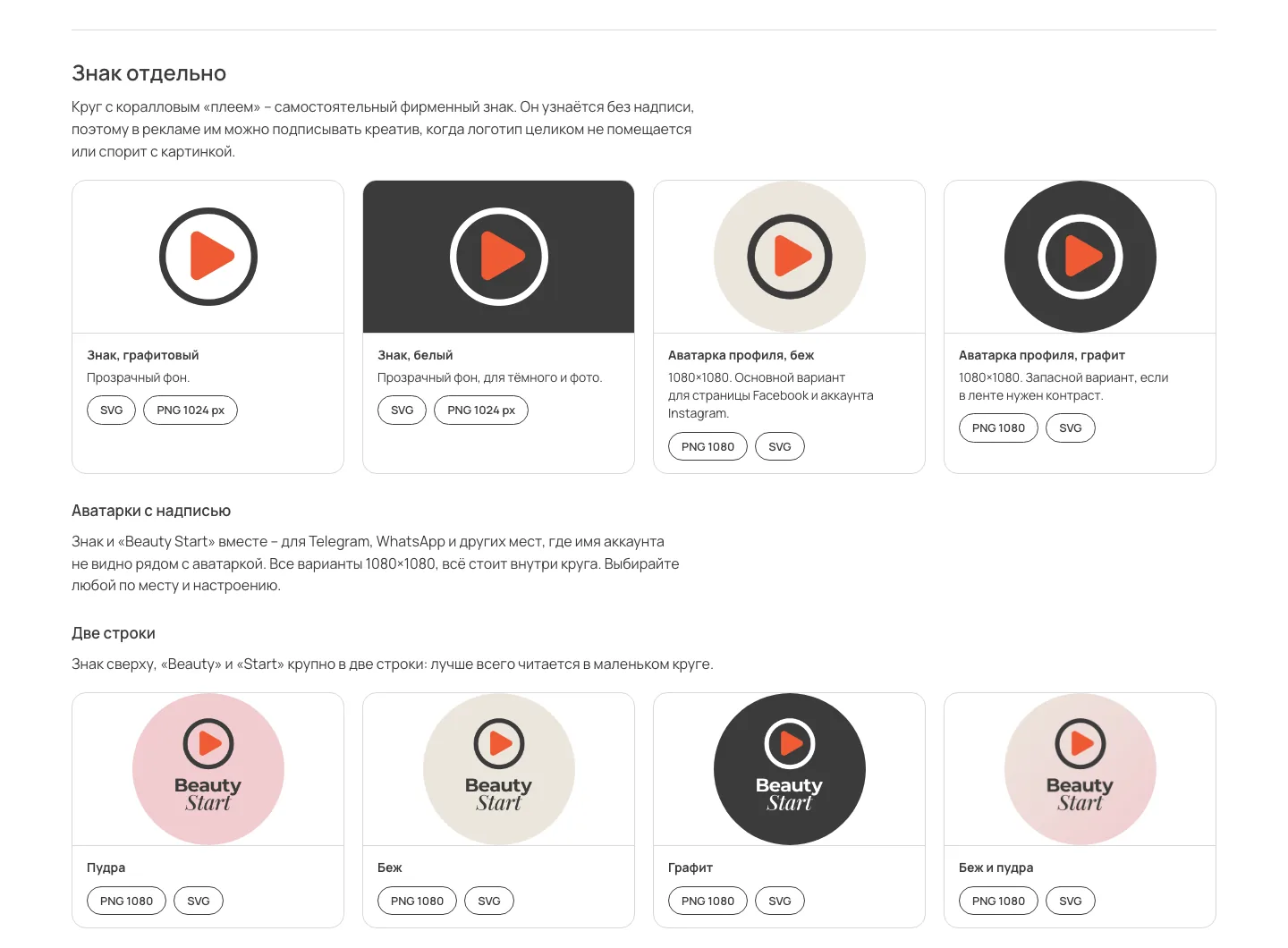
Mark and avatars. The play-in-a-circle mark is recognisable without the wordmark. 1080×1080 avatars for Facebook, Instagram, Telegram and WhatsApp.
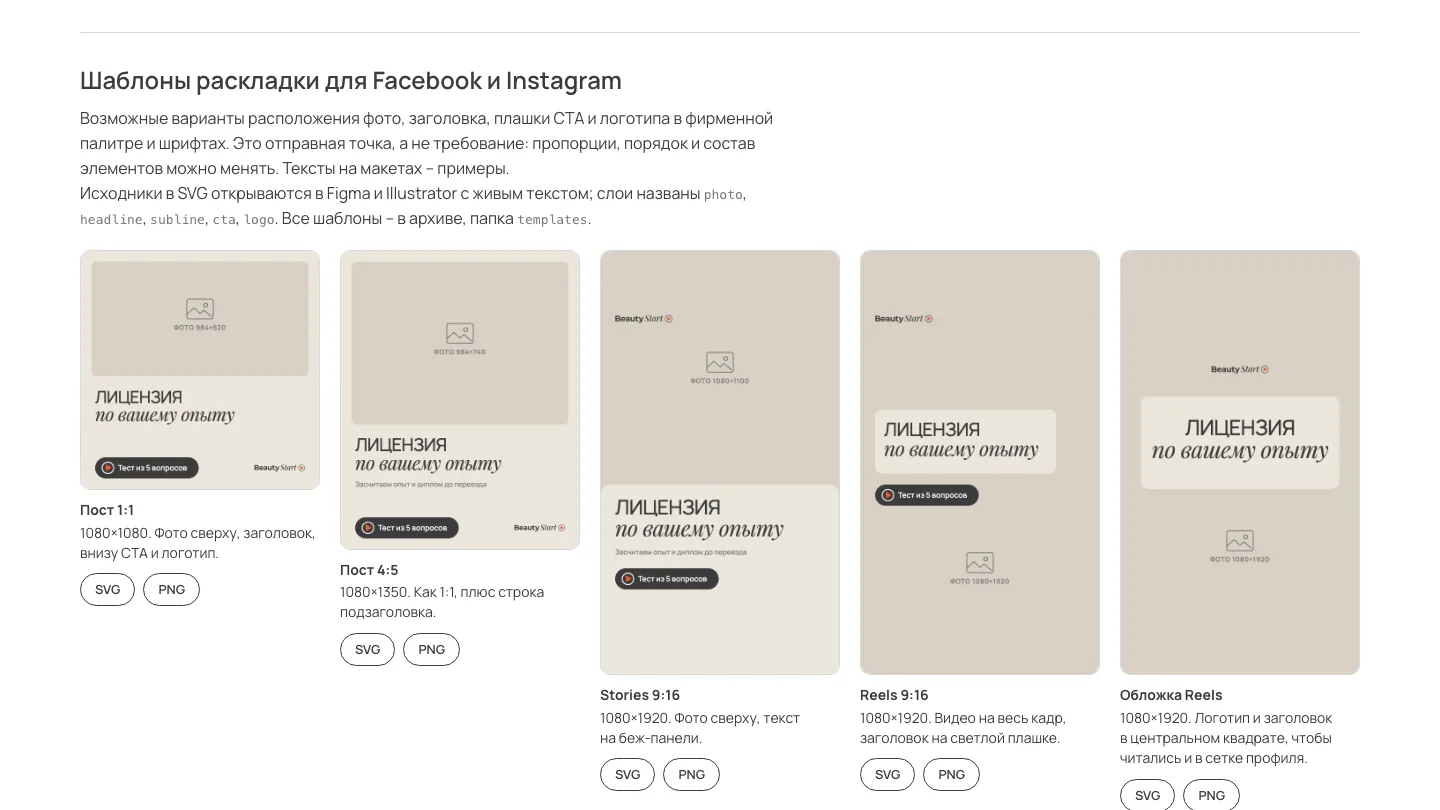
Templates for Meta. 1:1 and 4:5 posts, Stories, Reels and a Reels cover in the brand palette and fonts. Source files in SVG with live text.
Design system showcase. The site’s logo, colours, fonts and components on one hidden page.
A design system instead of a patchwork
Before, in the styles
about 40 font sizes
10 almost identical warm backgrounds
7 link buttons, each built differently
3 input field styles
→
After
11 font sizes
spacing in 4 px steps
one field style and one button style across all pages
tap targets of at least 44 px
What the brand identity includes
the logo in graphite and white, plus the mark on its own
browser tab and phone home screen icons made from the same mark
profile avatars and ad templates for Facebook and Instagram
the logo animation on the site and as video for clips
link preview images for every page and language
the site’s design system and a components showcase
a quiz link builder with UTM tags
The logo became a vector file: 8 KB instead of 120 KB. Scripts build the icons, avatars, templates and videos from the approved logo instead of each one being drawn by hand.
04 · Quizzes
The quiz takes each person down their own branch and never asks what it already knows
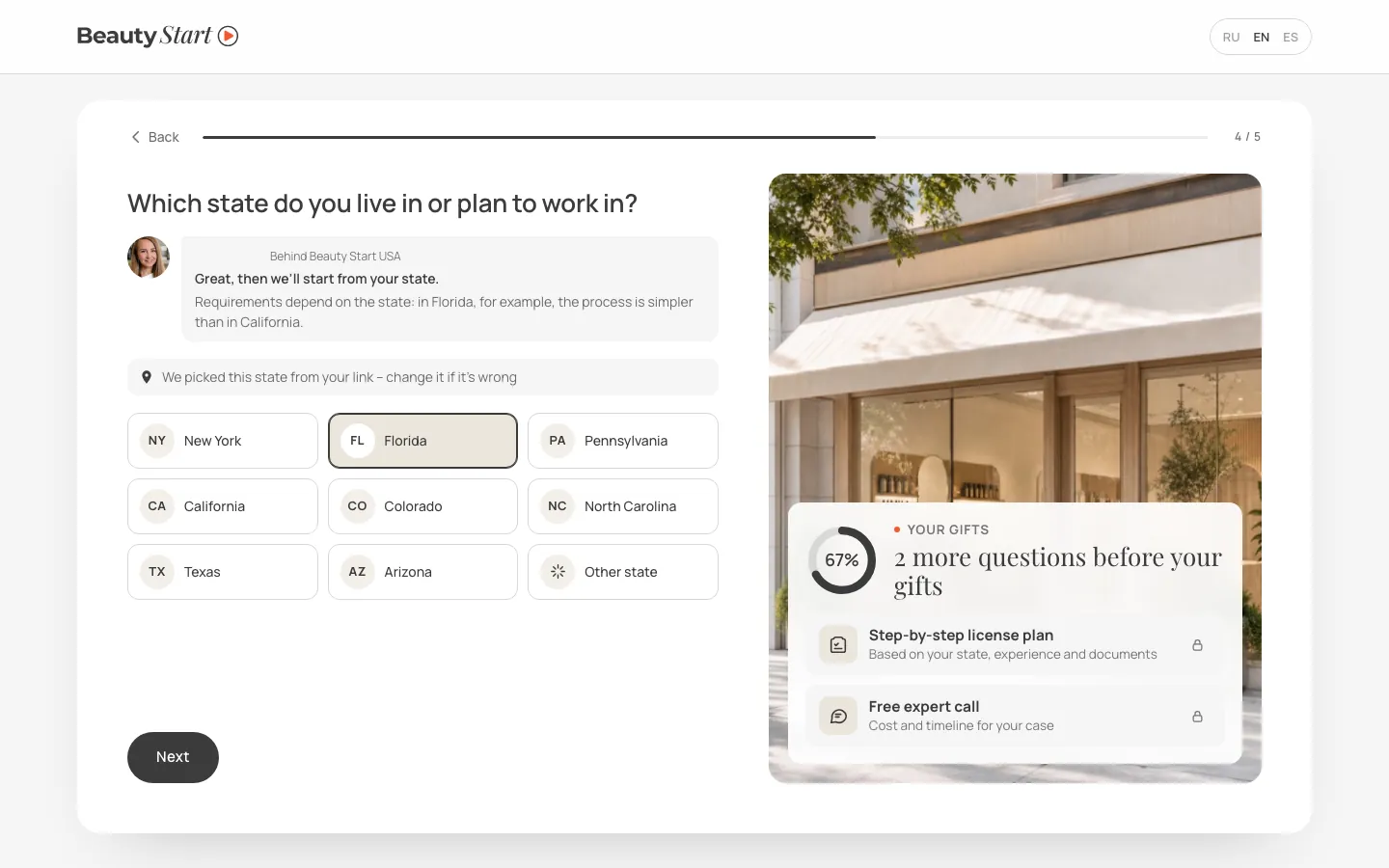
The quiz is the main route to a lead. On Tilda it ran straight through: five questions and a form. On the custom engine the questions branch on the answers, the state is filled in from location or from the ad link, and every step shows up in analytics.
Four quizzes for four situations, each in three languages
A professional without a licence. How to get licensed in their state.
A professional with a licence. Moving to another state, expiry, renewal.
A future owner. How to open their own salon or studio.
A salon owner. Licences for staff who trained abroad.
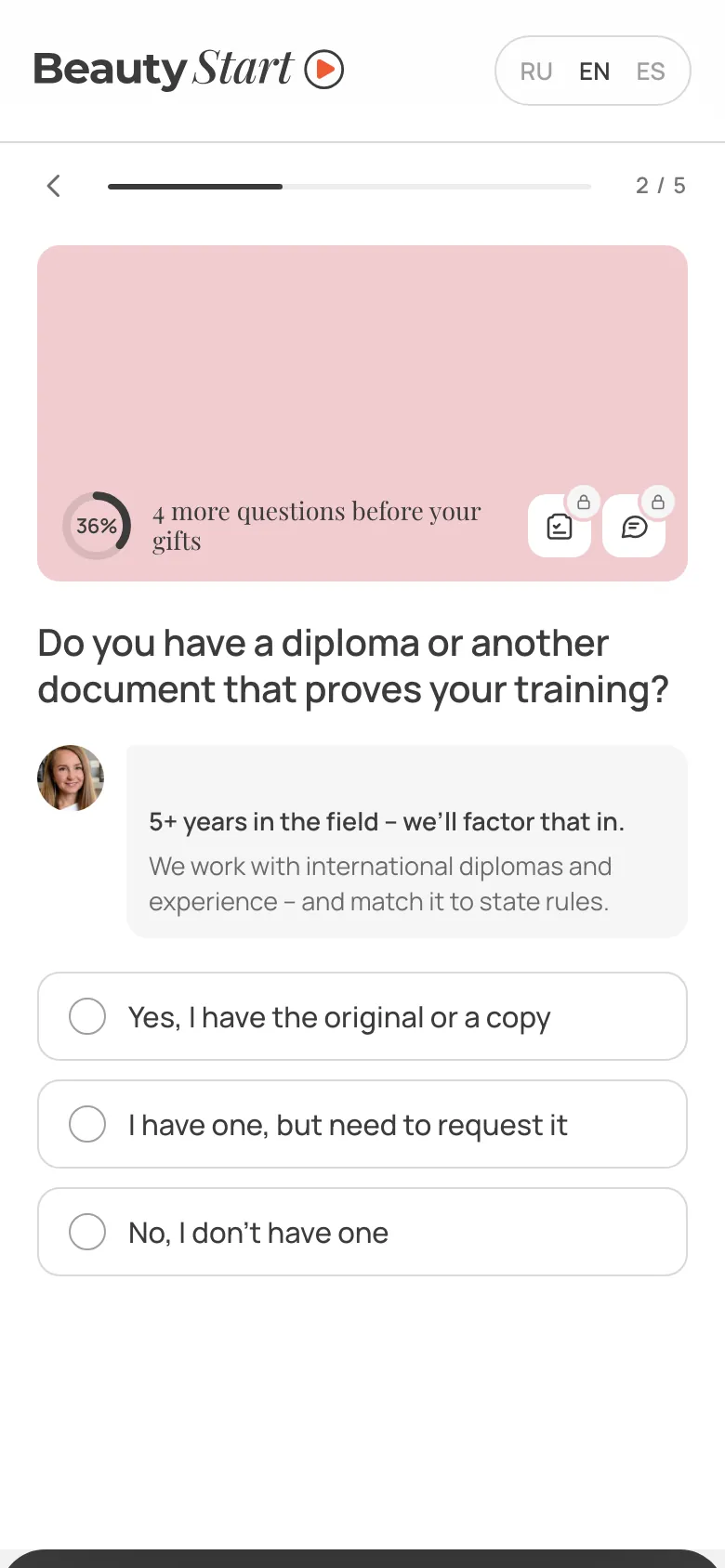
The state is already selected. An ad link with ?state=FL picks Florida; without it, location suggests the state. The person confirms or changes it.
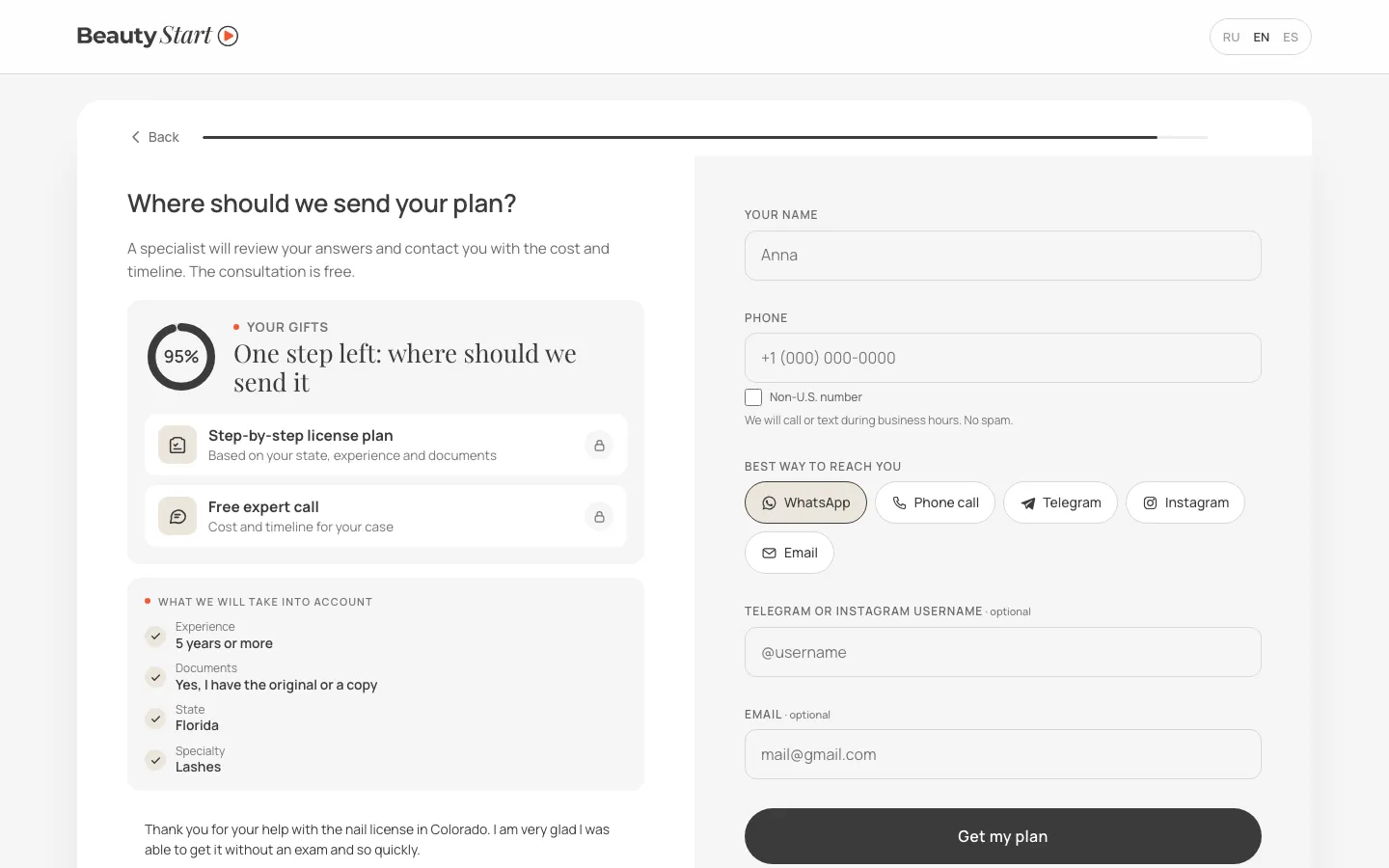
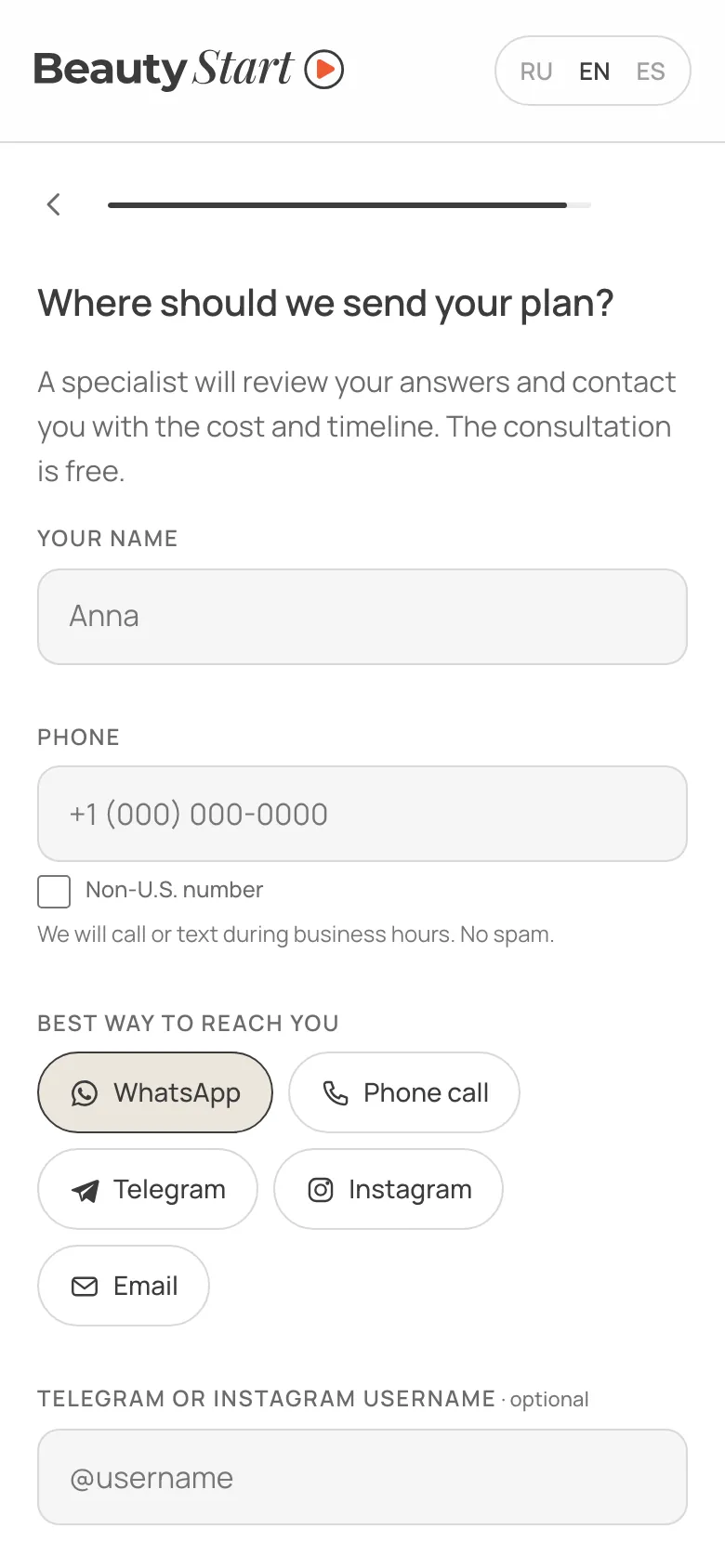
A short form. Only name and phone are required; the contact channel is picked with a button. On the left, a “What we will take into account” block lists the answers that go into the plan.
Cover
Reply to an answer
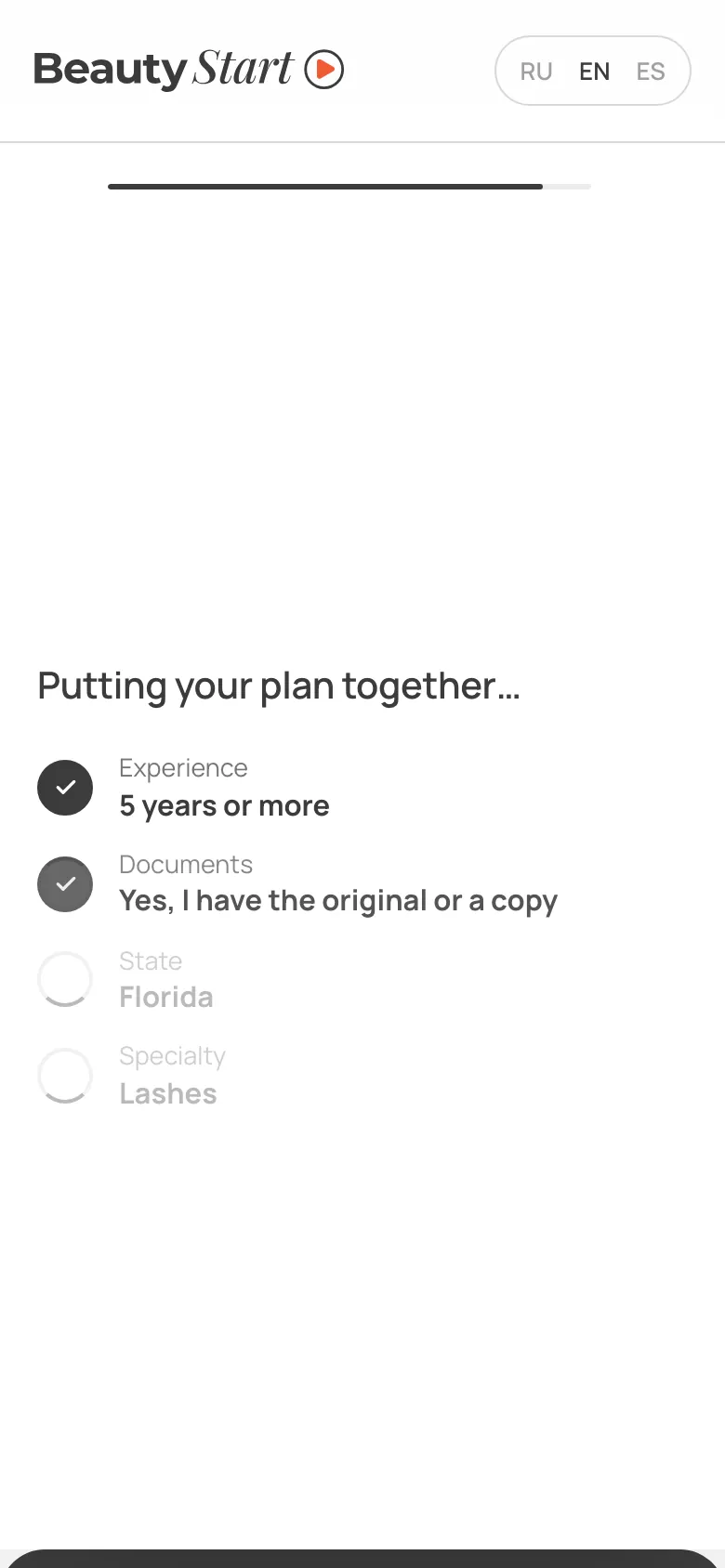
Building the plan
Contact details
Branches instead of a single script
Planning to move. Its own branch and its own text before the form.
Another state. A choice from the list and a question on whether the person is ready for an exam: in those states the licence requires one.
Virginia. An honest no: the company doesn’t work there, so the quiz collects no lead and suggests picking another state.
The branches follow a brief from the agency Beauty Start works with; the engine is mine.
What the quizzes deliberately leave out
“5 minutes left” timers
made-up approval rates
star ratings with no source
promises in replies that the site itself doesn’t make
Techniques from research and top-performing quizzes
A fast start
The first question is already 20% of the bar, the last 82%. A meta-analysis of 32 experiments (Villar, Callegaro and Yang, 2013) found that a bar that moves fast at the start keeps more people.
Visible work
Before the form come two or three seconds of “putting your plan together”, with the answers ticked off one by one. Visible effort raises the perceived value of the result (Buell and Norton, 2011).
Pick up where you left off
Answers are kept in the browser for 14 days, so a returning visitor carries on from the same question. Once sent, the answers are wiped.
05 · Leads and analytics
No lead gets lost, and one event serves four systems
Every form and quiz sends its lead to one function, which routes it to the right channels. Analytics works the same way: the page reports an action once, and the code translates it into each system’s event name: Yandex Metrica, GA4, the Meta pixel and Clarity.
The path of a lead
Quiz or formpage, UTM, gclid, fbclid
Netlify functionchecks the form name
Telegrammanagers’ chat
Spreadsheet and emaila sheet per form
Lead reaches a managerin Telegram, the spreadsheet and email
The contract application goes to the founder only: her chat, a separate spreadsheet, an email. If the channels or the function are down, the browser sends the lead to Netlify Forms as a fallback. The function log records only the form name and the channels — no names or phone numbers.
One quiz lead, four event names
Yandex Metrica: the quiz goal plus a shared lead goal for Yandex Direct.
GA4: generate_lead with the form, the quiz and the page language.
Meta pixel: the standard Lead event.
Microsoft Clarity: an event and a tag on the session that produced the lead.
Quiz steps, clicks on WhatsApp, Telegram and email, guide downloads and language switches are tracked automatically, with no markup on the pages.
Cookie consent by region
The US and the rest of the world: analytics tags load straight away, with an opt-out banner.
European time zones: nothing until “Accept”.
Global Privacy Control signal: no ad tracking or session recording.
Form fields are hidden from Webvisor and Clarity either way.
06 · Exam trainer
Learning moved from Thinkific to a custom trainer built around questions
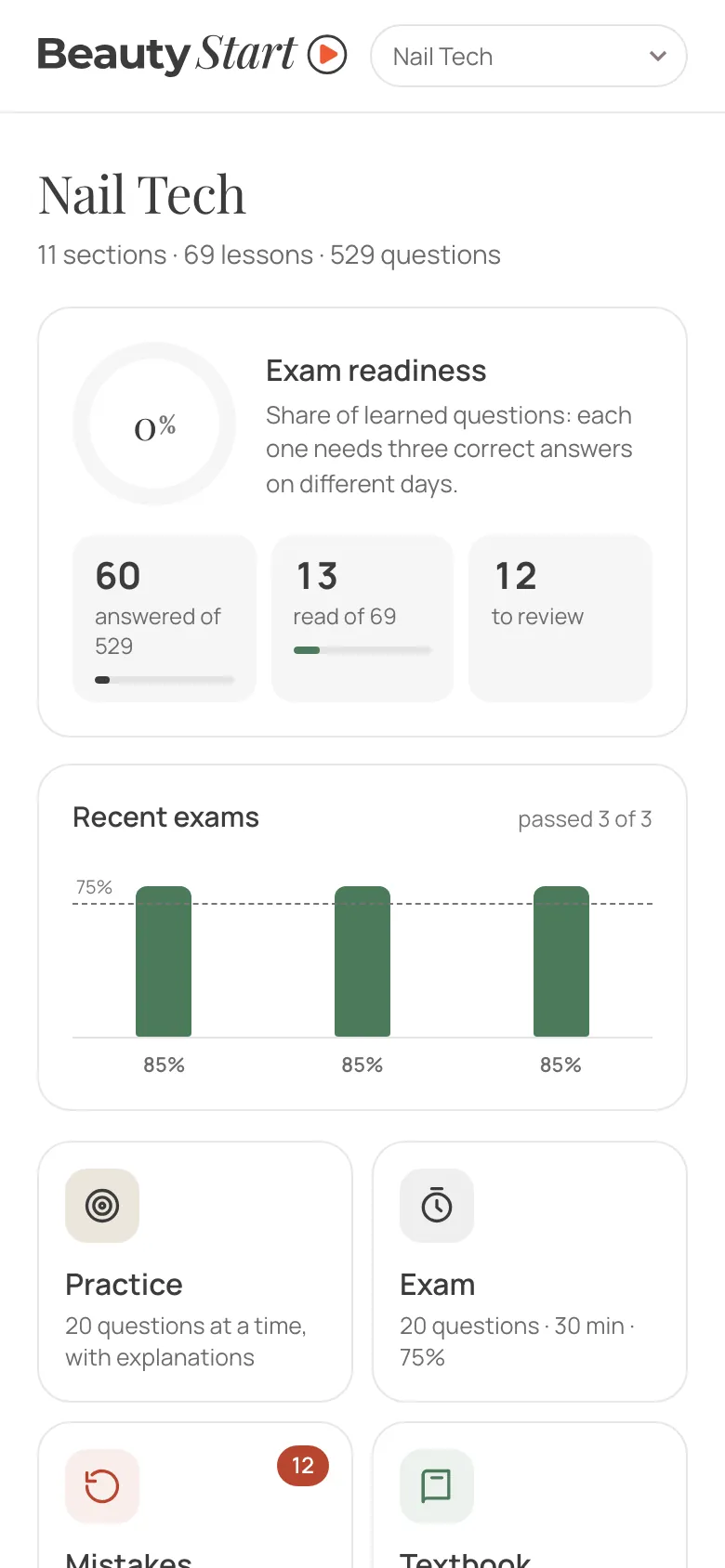
Beauty Start sells exam prep courses for the licence. The lessons and tests lived in Thinkific. I exported every course and built a custom trainer: lessons in order, practice, a timed exam and a mistakes review. Students sign in with a personal code, and progress is stored on the server.
Hypothesis
The value of the course isn’t in the lessons but in practising the tests. And Thinkific can’t do tests properly.
That thought started the trainer in September: first as a local version with 11 questions.
What the export revealed
25–40%
of Thinkific questions had the correct answer first, so a test could partly be passed without knowing anything. The trainer shuffles the options every time.
5
courses: Nail Tech, CA Nail Tech, Esthetician, Esthetician 2.0, Barber
365
text lessons
118
textbook tests
4,479
questions in Russian and English
Textbook
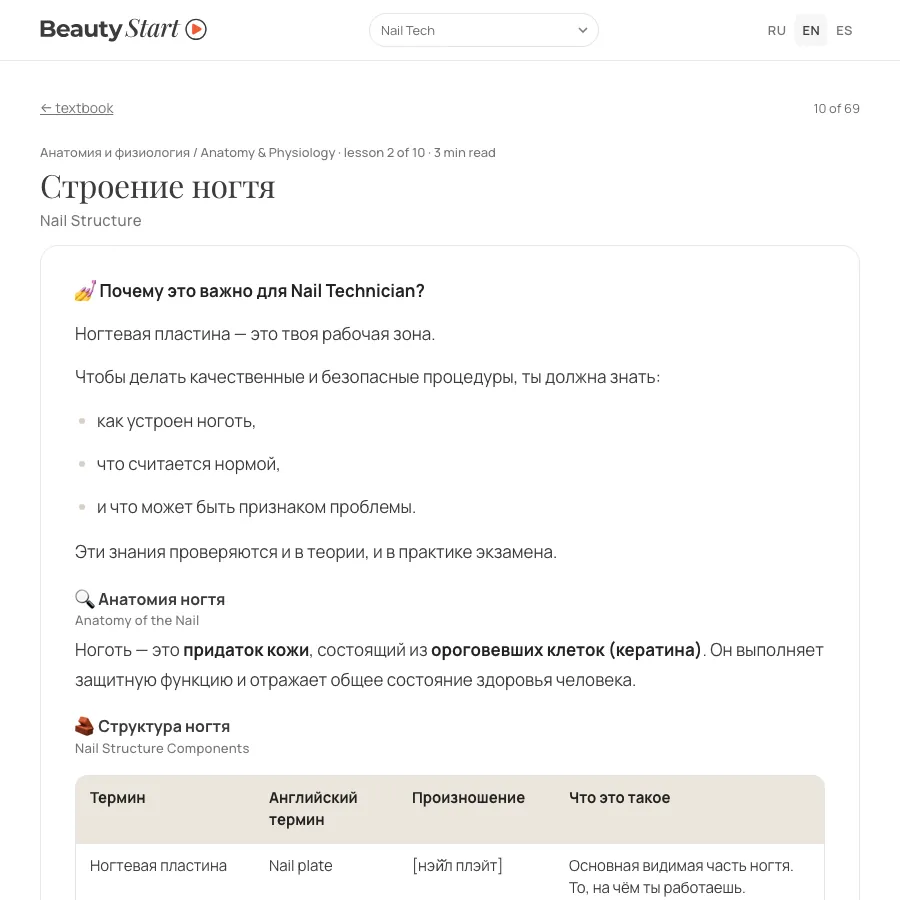
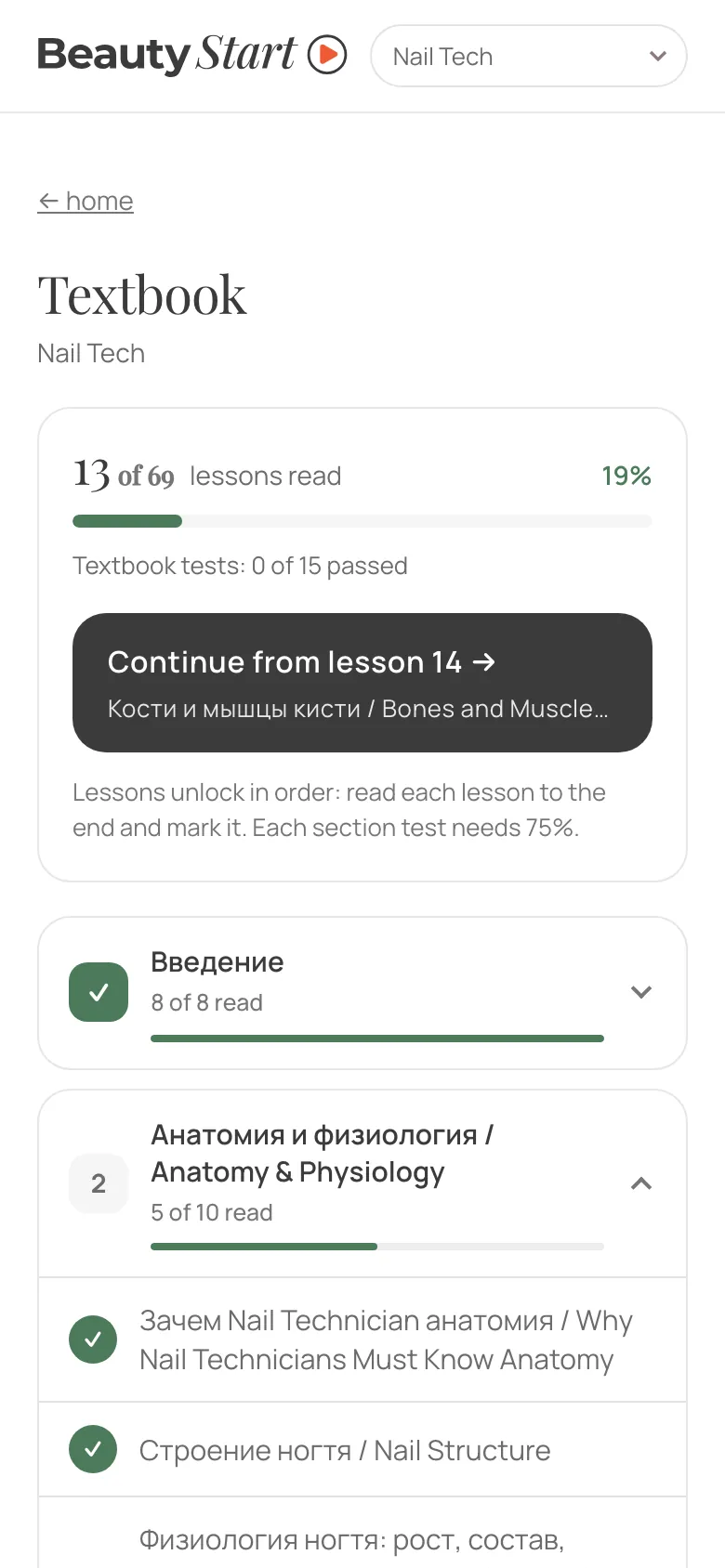
Lessons unlock in order: the next one opens once the current one is read to the end. A section test holds you back until you pass it at 75%.
Practice
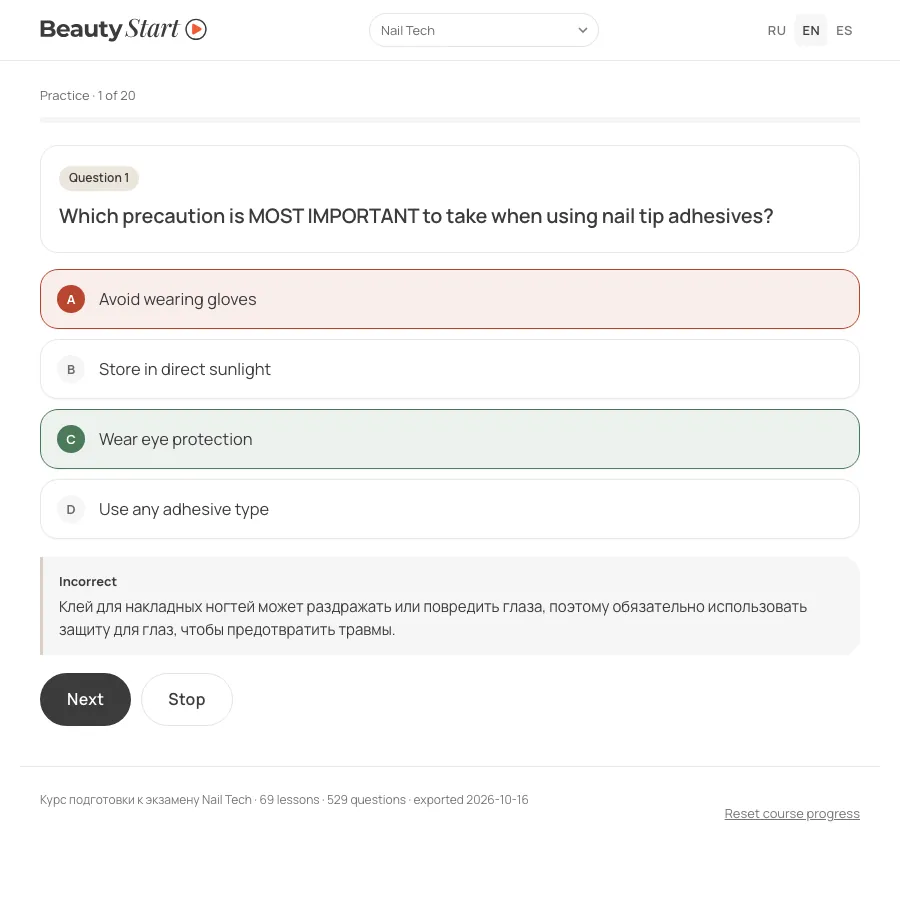
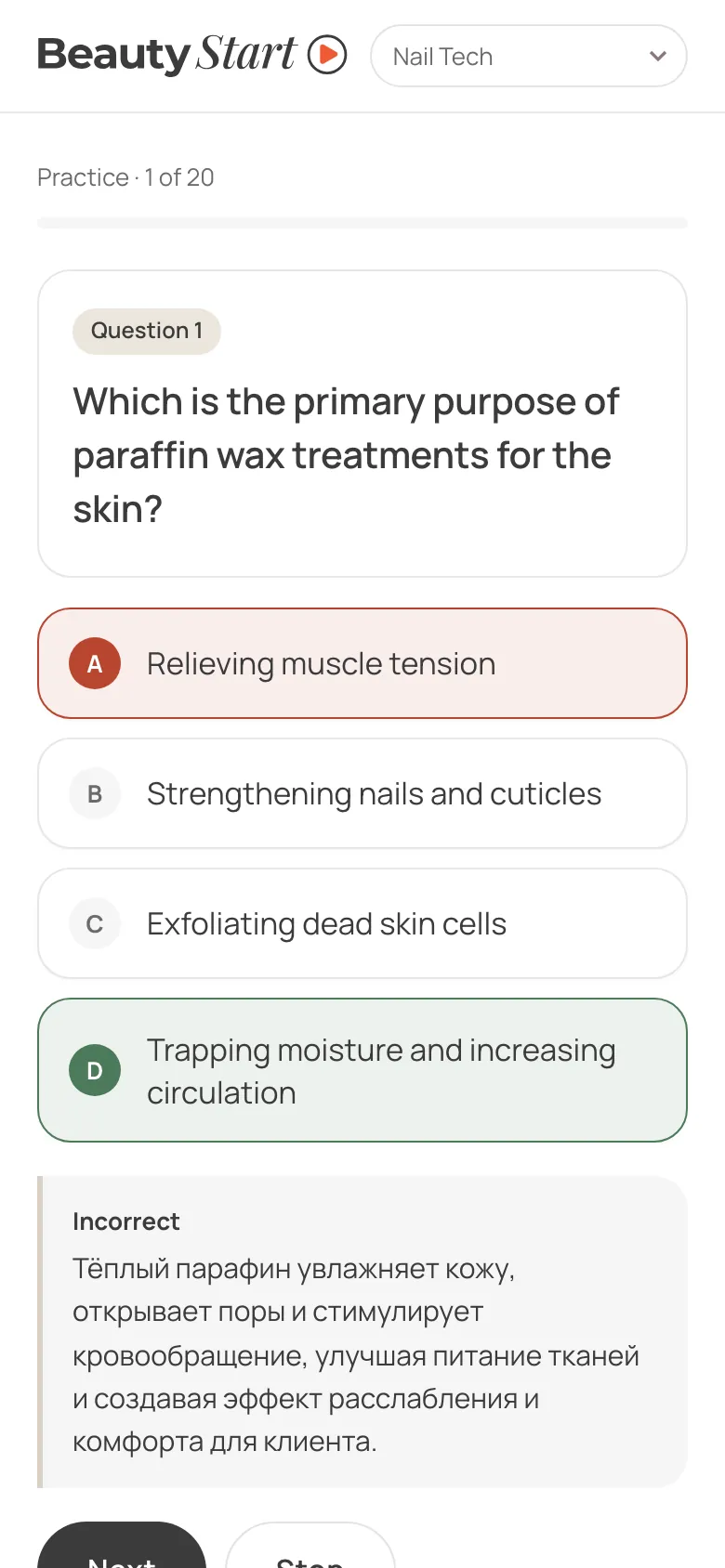
Sets of 20 questions: new ones first, then weak ones. No timer; the answer and explanation appear straight away.
Exam
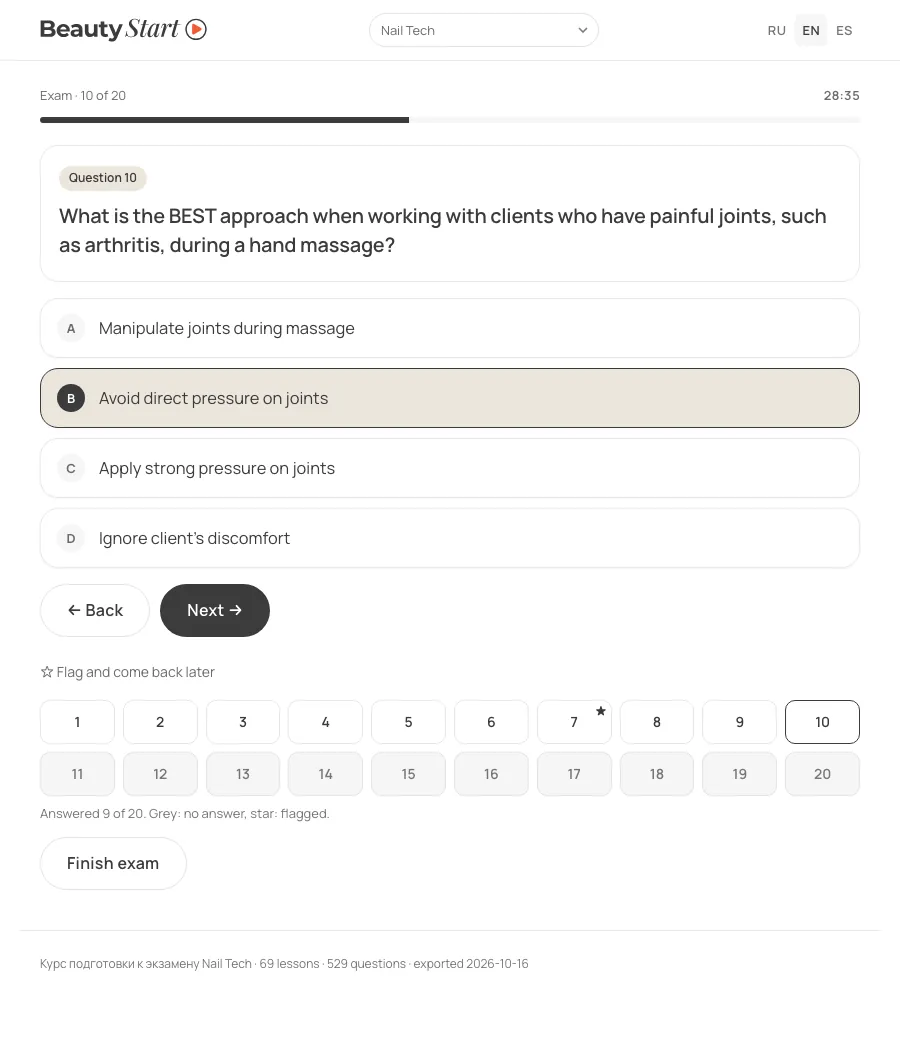
As in the real exam, you can change an answer or flag a question with a star and come back to it. The practice format: 20 questions, 30 minutes, a 75% pass mark.
Mistakes review
Only the questions you got wrong, with spaced repetition.
Spaced repetition: a question counts as learned after three correct answers on different days
Box 1new question or mistake
Box 2review after a day
Box 3after 3 days
Box 4after a week · learned
Box 5leaves the review
Exam readiness is the share of questions in boxes 4 and 5. Three correct answers in one evening don’t make a question learned.
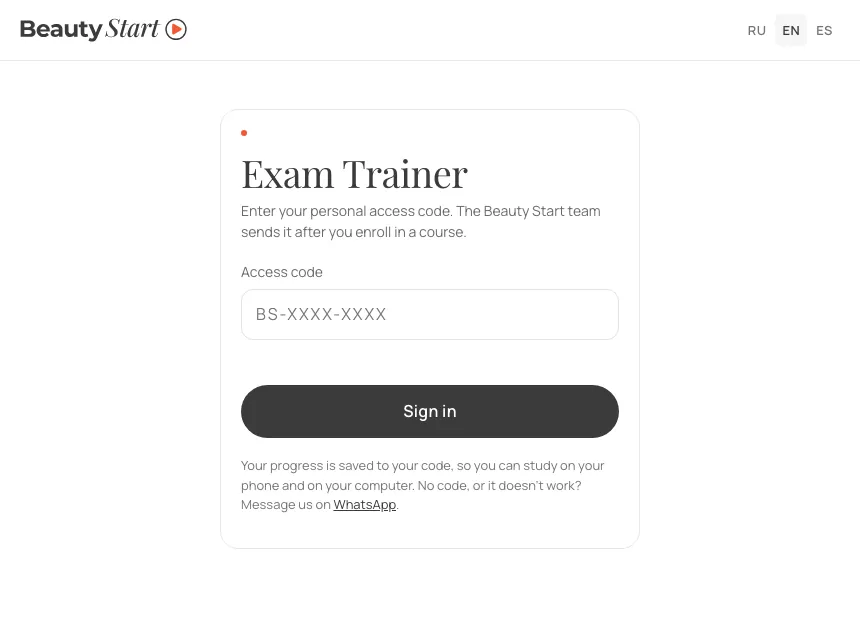
Sign-in by code. The team issues the code after enrolment. Without a valid sign-in the server serves neither lessons nor course files.
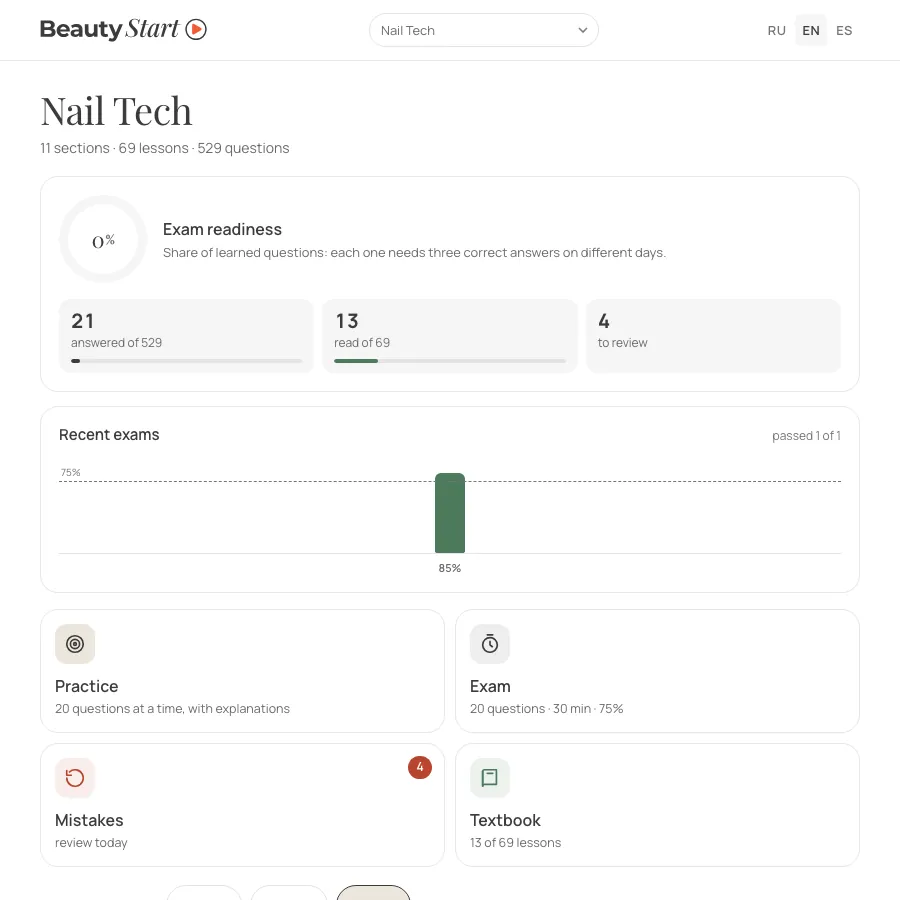
Course home. Readiness, the four modes and the question language: Russian with English, Russian only, or English only, as in the exam.
Practice. The answer and explanation appear straight away. Here the questions are in English only, as in the real exam; the explanations are in Russian.
Exam. The timer runs on real time, so minimising the browser doesn’t stop it. Flagged questions carry a star in the number grid.
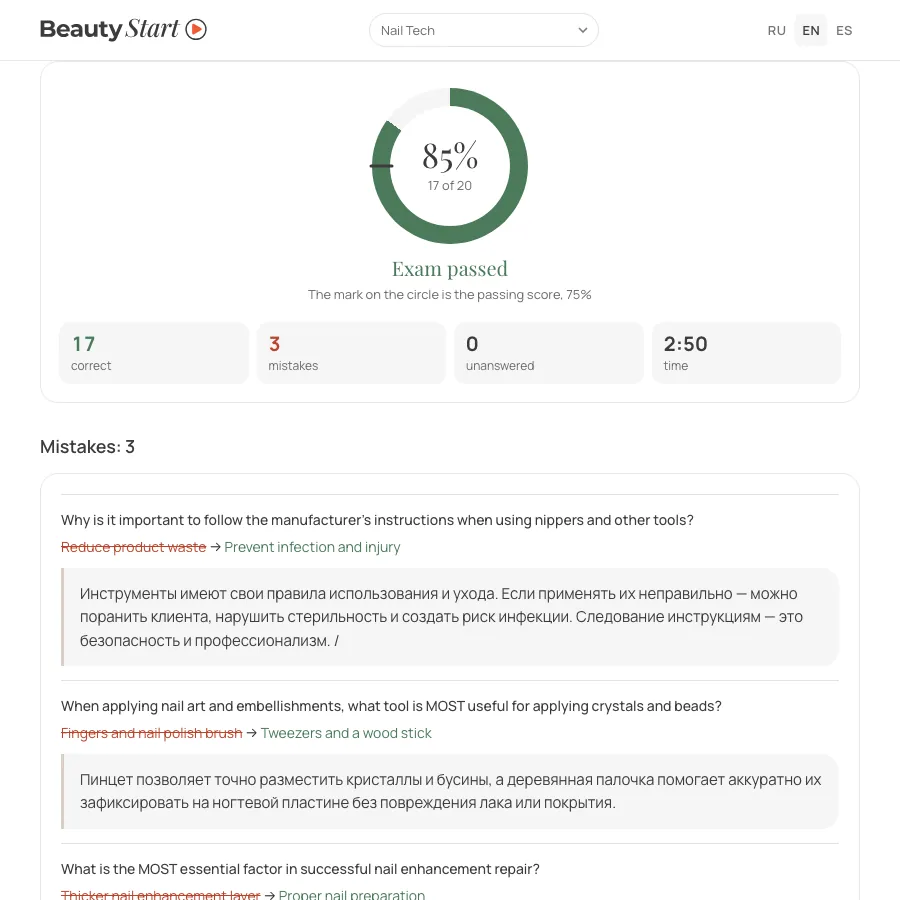
Result. The score is always out of 20 questions, with every mistake explained below. The exam in the shot is my test run.
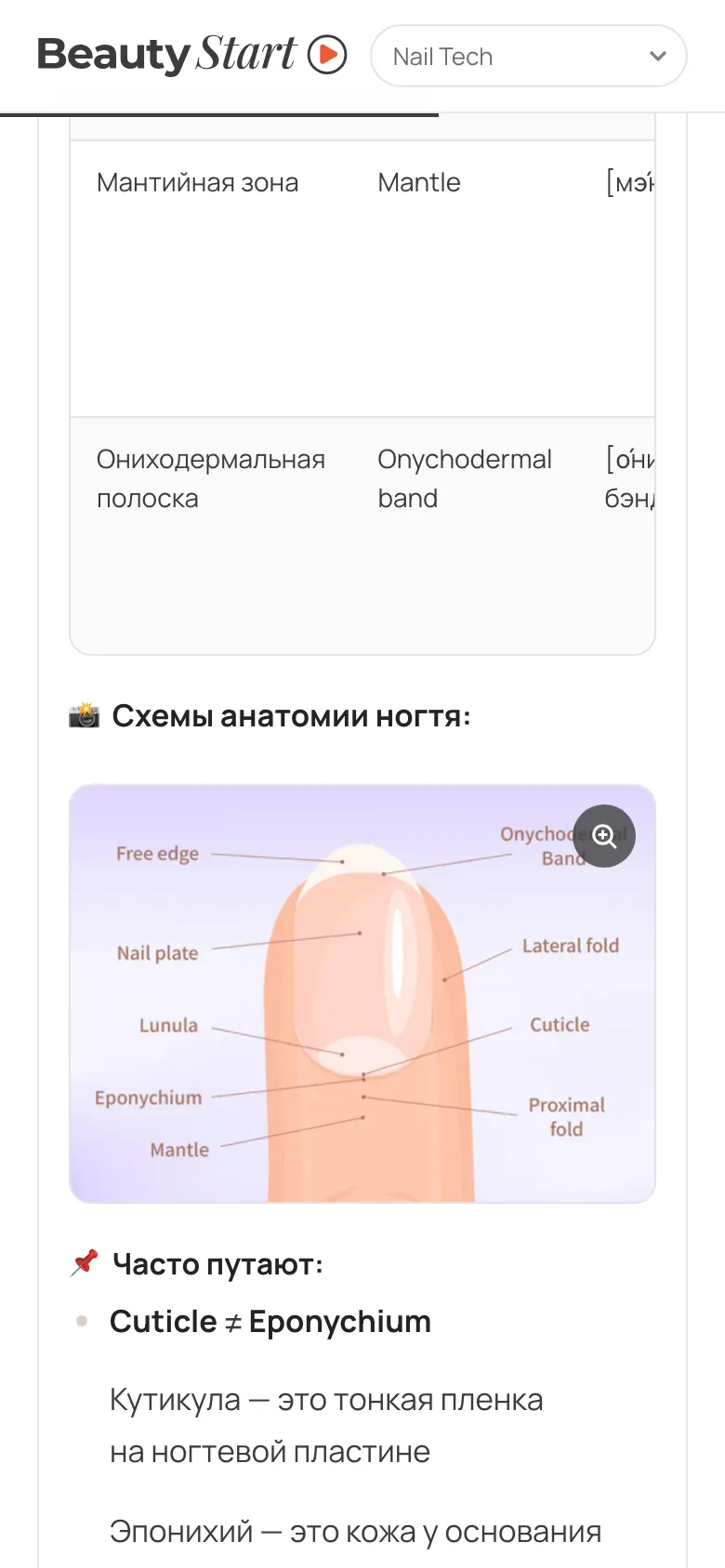
Lesson. The Thinkific text is cleaned of editor fonts, tables sit in their own frame, and infographics open full screen.
Textbook
Infographic
Practice
Course home
The trainer is locked behind an access code, so the shots of its inside come from a local build of the same software, using the Nail Tech course. The answers, exam and lessons read in them are my test run, not student data.
How the trainer works inside
Access and progress
Student codes are issued by the founder on the codes page. There she can also disable a code, change courses and see progress in each course.
Access is granted by a signed cookie valid for 12 hours. The server won’t serve another course’s file, and a wrong code gets no more than 10 attempts in 10 minutes.
The sign-in link carries the code after the #, so it never reaches the server or the logs.
Progress is saved in the browser and, a second and a half later, on the server. Phone and computer progress is merged: for each question the newer record wins.
Moving out of Thinkific
The export is a script run in the browser console of the Thinkific admin panel, through the panel’s own GraphQL API: chapters, lessons, tests, answers. The question count in every test was checked against the admin panel.
Removed 88 “Ready to take the test?” splash screens and 31 empty placeholders.
Lessons are cleaned of editor fonts and colours; the course data shrank from 12.6 to 8.4 MB.
On 169 infographics a script replaced the old mark with the new logo.
The trainer finds English duplicates of Russian questions on its own and leaves them out of the exam.
How the trainer grew
08.09
11 questions as a trialA local trainer with no server, to test the hypothesis.
16.10
Every course out of ThinkificA full export and a copy on a subdomain to show the founder.
22.10
The textbook in orderAt her request: the next lesson only after the current one is read, section tests must be passed at 75%.
23.10
Sign-in by codeProgress on the server and a codes page for the founder.
27.10
The trainer on the site, with a three-language interfaceOne code and one progress record across Russian, English and Spanish. Lessons and infographics cleaned up.
07 · Wrap-up
Subscriptions cancelled; traffic figures after a month on the domain
The site and the courses now run on custom code, with no site builder or platform subscriptions — a saving of about $150 a month. The quiz takes everyone down their own branch, no lead gets lost, and the course is built around practising tests.
What’s missing so far
There are no traffic or lead figures yet: the site has only recently moved to the domain. The project materials hold no verified before-and-after measurements of the Tilda home page either. The only result figure here is the subscription saving.
What I’ll check in the first month
Week 1
Where people drop out of the quizA step-by-step funnel for every quiz. Any step that loses more than 30% gets fixed first.
Month 1
Leads by language and sourceThe page language and ad tags are in every event and every lead.
Trainer
Whether students reach the examThe codes page shows, for every student, how many questions are answered and learned, how many lessons are read and how the exams went.
What’s left to do
set up goals in Yandex Metrica, GA4 and Meta — the event list is ready
translate the course content into Spanish: the trainer interface already has it
proofread the salon landing page translations with the founder
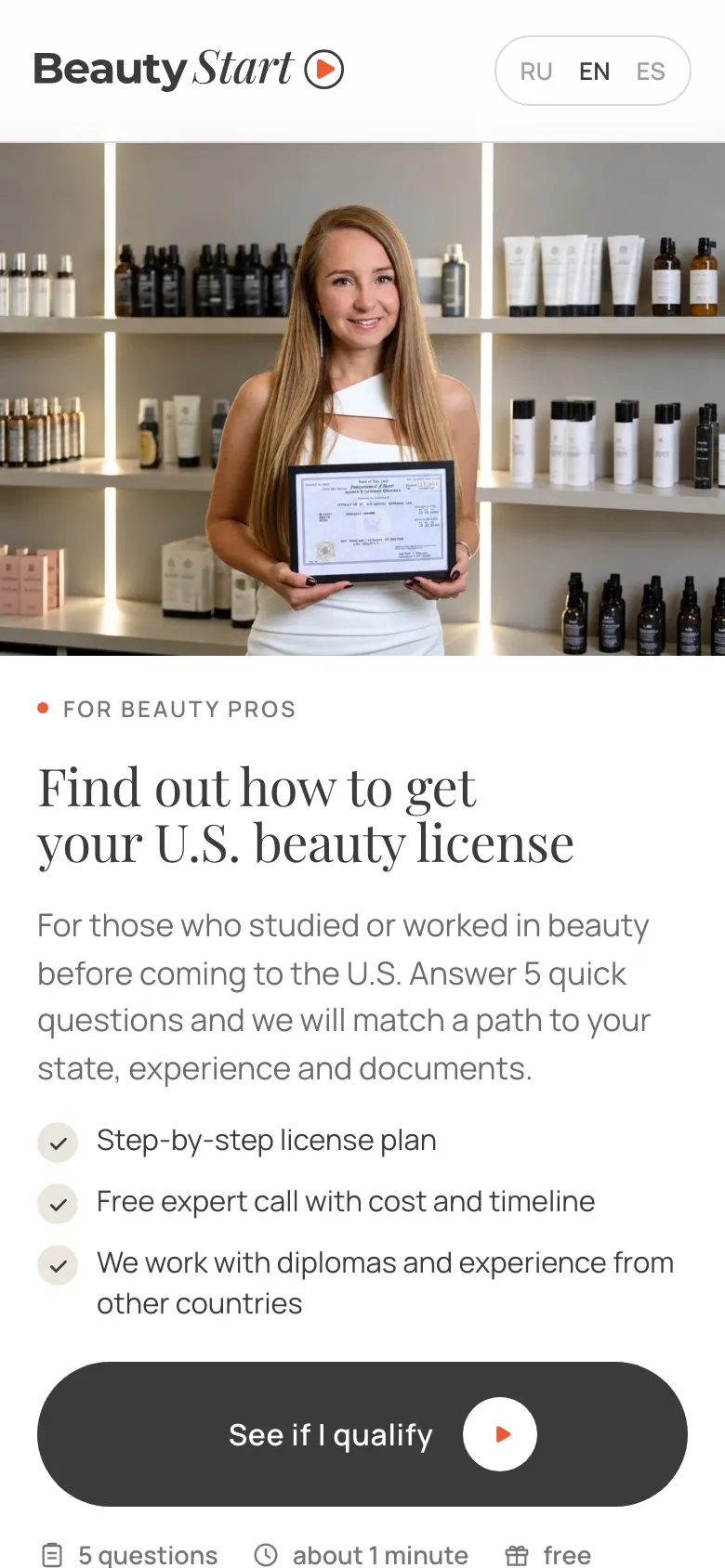
The saving is based on the cost of the Tilda and Thinkific subscriptions. Other facts come from the project documentation and code (the 27 October 2026 build) and a walkthrough of the test address on 1 November 2026. The move to beautystartusa.com was checked on 6 November 2026. Screenshots were taken on 1 November: quizzes, landing page, application form, blog and trainer sign-in from the test address, with no forms sent; the trainer inside, the brand page and the design system showcase from a local build; the logos and animation frames from the project files; Tilda from beautystartusa.com before the move; the mock-up from the August 2026 file. The founder’s name and clients’ names are hidden in the shots. The cover is a licence photo from the quiz on the site.